---
title: Creating Your Own Filter Tab
description: A step-by-step guide to building and personalizing your own filters tab.
---
[Skip to content](https://support.parashift.io/creating-your-own-filters-tab#main-content)
[Contact us](https://support.parashift.io/kb-tickets/new?hsLang=en) [Customer support portal](https://support.parashift.io/tickets-view?hsLang=en)
[](https://support.parashift.io/?hsLang=en)
Open main navigation
Close main navigation
- [Contact us](https://support.parashift.io/kb-tickets/new)
- [Customer support portal](https://support.parashift.io/tickets-view)
How can we help you?
- There are no suggestions because the search field is empty.
1. [Support Center](https://support.parashift.io/?hsLang=en)
2. [User Guides](https://support.parashift.io/user-guides?hsLang=en)
3. [General](https://support.parashift.io/user-guides?hsLang=en#general)
# Creating Your Own Filter Tab
## Learn how to create and personalize your own filter tab step by step.
In each section of the platform (Separation, Classification, Extraction, QC Operations), you can create your own custom filters, which will be saved and available in the filters tab. They are easily accessible and help reduce time when you frequently filter documents on the platform.
You can create multiple filter tabs, edit their names, and easily delete them.
The created filters are available only to your user within the given tenant.
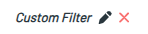
### How to Create and Save a Custom Filter

1. Open the section where you want to create filters.
2. Set your filters according to your needs.
3. Click “**+ Save**” in the filters section at the top - your filter will be created.
Rename the filter as you like.
- [Getting Started](https://support.parashift.io/getting-started?hsLang=en)
- [User Guides](https://support.parashift.io/user-guides?hsLang=en#main-content)
- [General](https://support.parashift.io/user-guides?hsLang=en#general)
- [Validation](https://support.parashift.io/user-guides?hsLang=en#validation)
- [Platform Workshops](https://support.parashift.io/user-guides?hsLang=en#platform-workshops)
- [Configuration Guides](https://support.parashift.io/configuration-guides?hsLang=en#main-content)
- [Document Type & Fields](https://support.parashift.io/configuration-guides?hsLang=en#document-type-fields)
- [Automation](https://support.parashift.io/configuration-guides?hsLang=en#automation)
- [Tenant (User management)](https://support.parashift.io/configuration-guides?hsLang=en#tenant-user-management)
- [Workflow (Upload Configuration, Separation, Classification)](https://support.parashift.io/configuration-guides?hsLang=en#workflow-upload-configuration-separation-classification)
- [Release Notes](https://support.parashift.io/release-notes?hsLang=en)
- [API Documentation](https://support.parashift.io/api-documentation?hsLang=en#main-content)
- [Platform API Configuration](https://support.parashift.io/api-documentation?hsLang=en#platform-api-configuration)
- [Technical API Documentation](https://support.parashift.io/api-documentation?hsLang=en#technical-api-documentation)
- [Professional Services](https://support.parashift.io/professional-services?hsLang=en#main-content)
- [Project-based Service Packages](https://support.parashift.io/professional-services?hsLang=en#project-based-service-packages)
- [Subscription-based Service Packages](https://support.parashift.io/professional-services?hsLang=en#subscription-based-service-packages)
[](https://support.parashift.io/?hsLang=en)
[Platform Live Status](https://status.parashift.io/) | [API Documentation](https://docs.parashift.io/)
[mailto:support@parashift.io](mailto:support@parashift.io)
Copyright © 2025, Parashift AG