
Configurable Failure Mode for Technical Errors
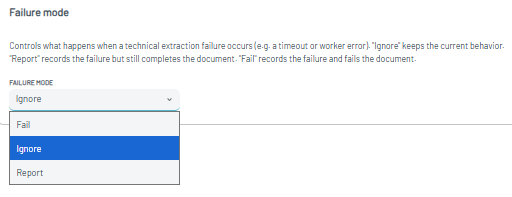
The new Failure mode setting provides three options:
- Ignore — Keeps the current behavior when a technical failure occurs.
- Report — Records the failure but still completes the document. The affected document is marked with
extraction_failedin theerror_codesattribute, making it easy to identify documents that encountered extraction issues. - Fail — Marks the affected document with Failed status.
The Failure mode is configurable per Upload Profile and can be found in the Extraction section of the Upload Profile settings.
This allows different Upload Profiles to use different failure-handling strategies based on their specific workflow requirements.
Learn more: Upload Profiles
Need Help?
If you have any questions or need assistance, please reach out to our Support Team.